NEW! Axiom 2 Chartplotters Now Available
Explore
24 March 2026
Find with SideVision, confirm with DownVision and lock in on your next catch.
SideVision™ is the name for Raymarine's side scanning sonar technology, and is a standard feature built into Axiom systems with RealVision 3D and RealVision MAX sonar. Side scanning sonar gives anglers a clearer way to understand the underwater world, revealing structure, relief and the shadow geometry that shows where fish hold. With Raymarine’s SideVision™ for wide area scanning and DownVision™ for pinpoint confirmation beneath the boat, you can find productive water faster and make every pass more meaningful. This guide explains how the technology works and how to use it with confidence.
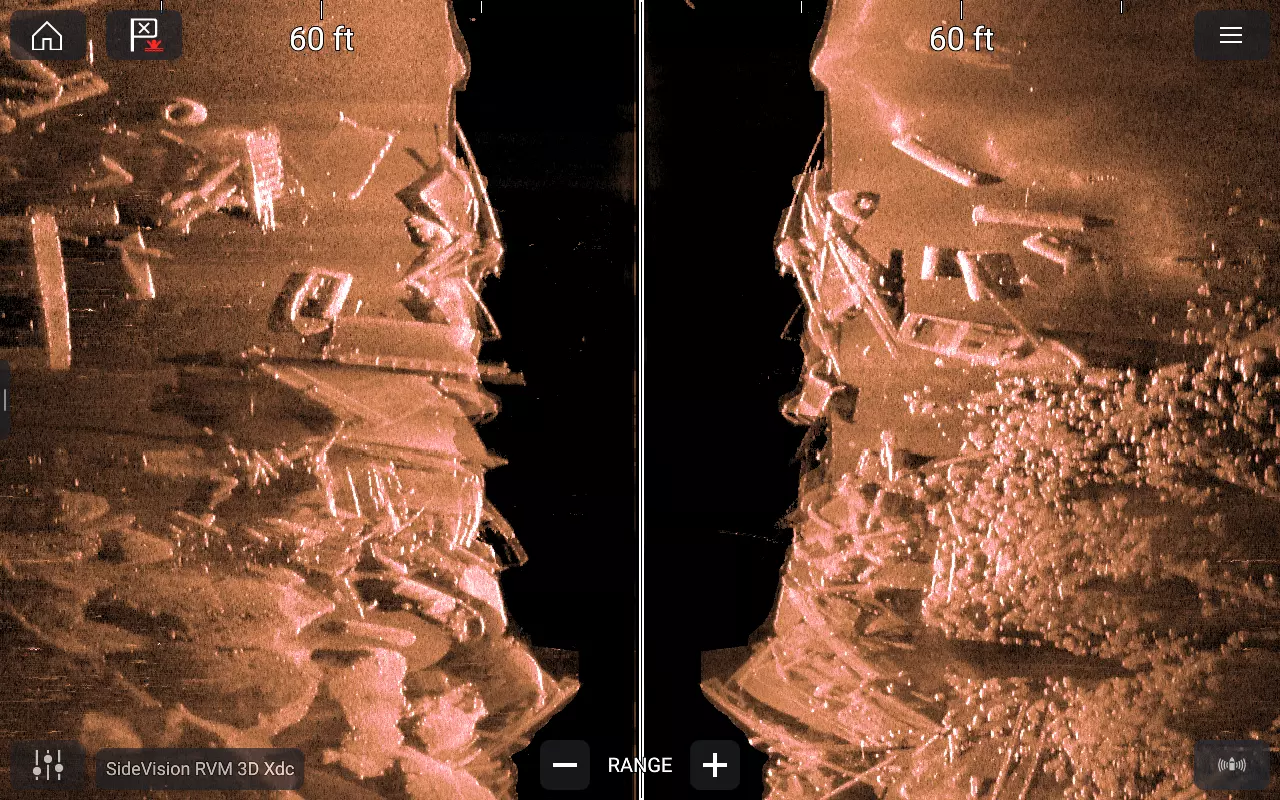
A single SideVision screenshot posted to our social media quickly caught anglers’ attention and sparked two big questions: What sonar technology is this and how do I make my sonar look like that too?
The image above came from our CHIRP SideVision Sonar on Axiom 2 Pro RVM, a wide‑area search sonar that scans horizontally outwards to reveal layout, relief, and shadow geometry. It pairs naturally with CHIRP DownVision, which fills in the picture directly beneath the boat, confirming material, texture, and how returns stack vertically.
The easiest way to understand side scan sonar is to picture a flashlight sweeping across a dark room.
A wide, fan‑shaped sonar beam moves outward from the boat. When that beam hits something tall, rubble, a hull, a piling, part of the energy returns to the transducer, and the rest is blocked.
The “quiet zone” behind the object becomes a dark shadow on the display.
Once you internalize this beam → object → shadow relationship, the screen reads almost like a photograph, with structure height, material type, and layout snapping into place.
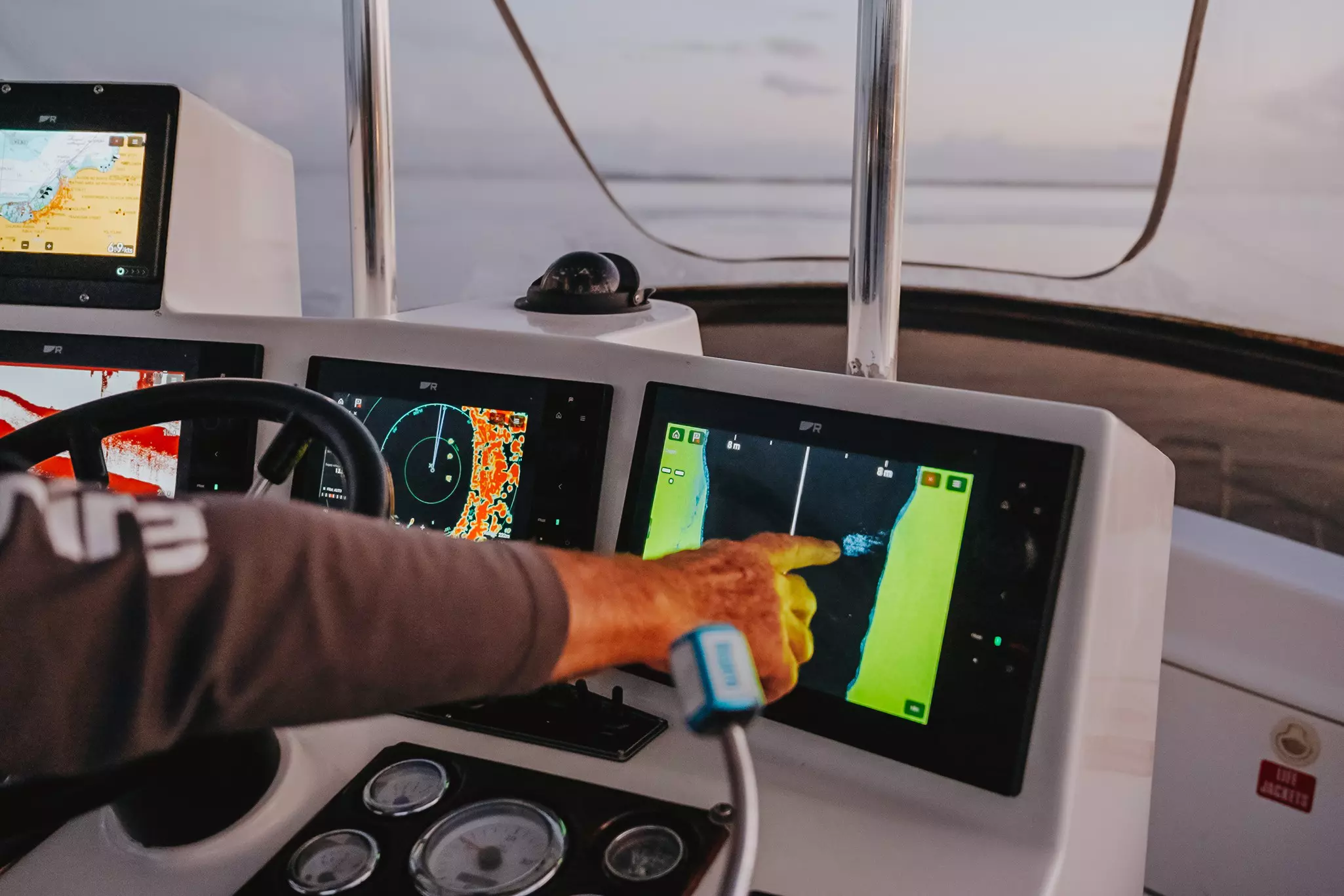
Braden Shoemaker, Raymarine’s Global Product Manager for Sonar & Fishing Systems, grew up in Florida and has had a fishing pole in his hands since shortly after he could walk. Without a doubt, he has a ton of experience when it comes to capturing and interpreting sonar on fish finders. When working an area with lots of hard structure, Braden suggests applying a simple, repeatable, SideVision/DownVision process:
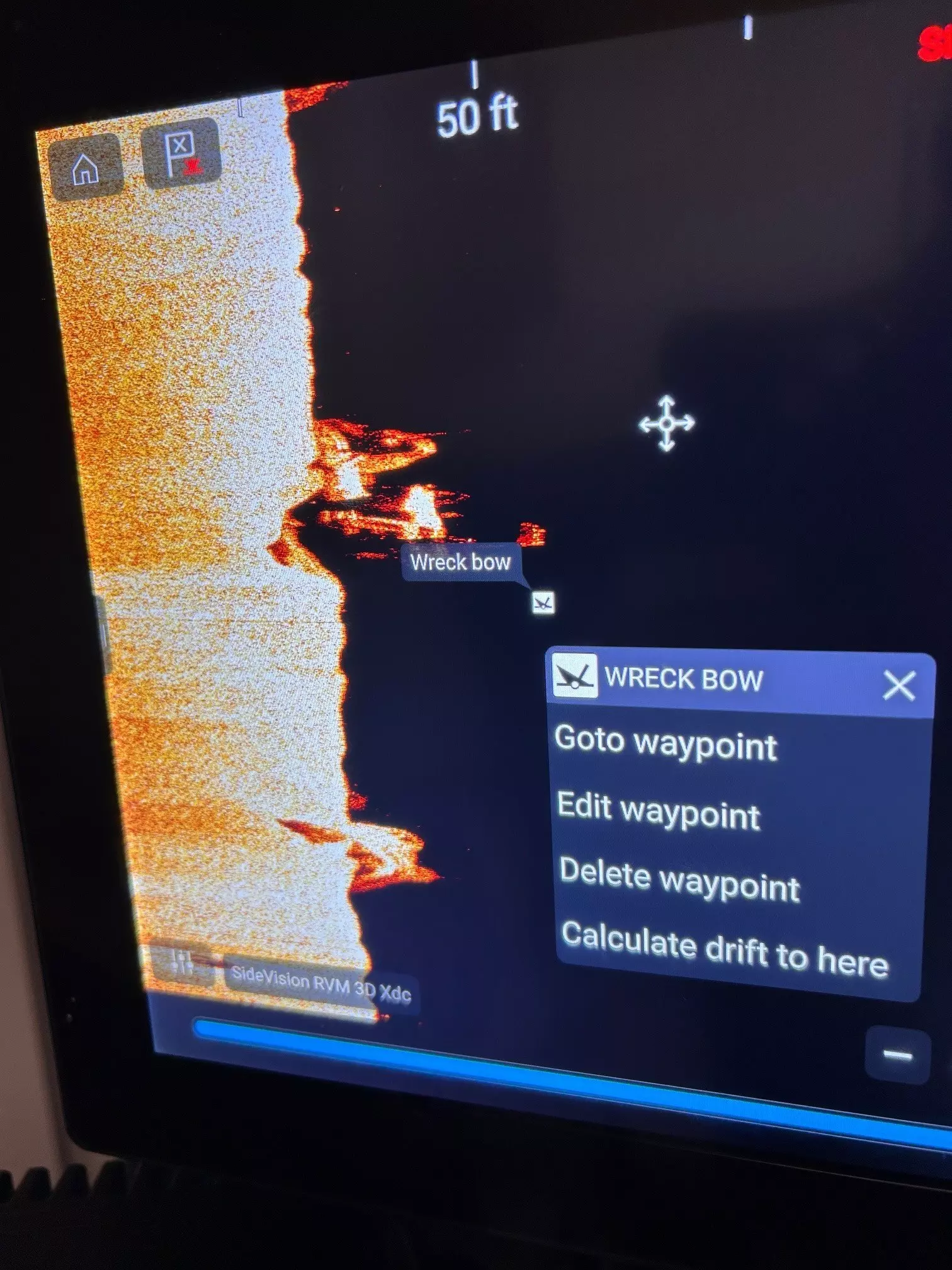
Screenshot of waypoint mark using SideVision on Raymarine Axiom Chartplotter.
You don't need to micromanage frequency with SideVision sonar on Axiom because it automatically runs a high-detail CHIRP band (320-380 kHz). The key is adjusting the controls that influence clarity and shadow contrast.
Increase until faint speckle appears, then reduce slightly, aiming for bright, clean edges without excess noise.
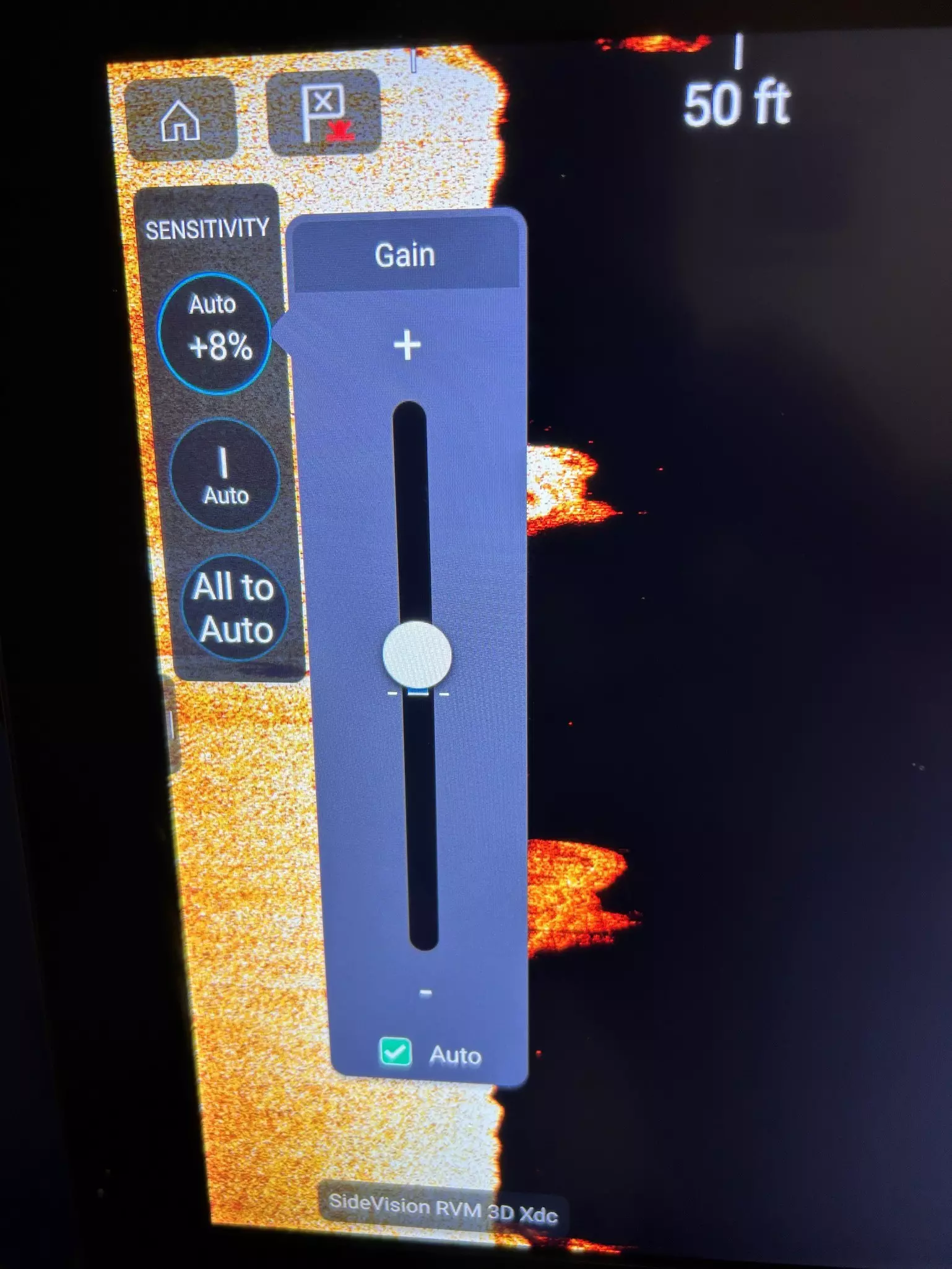
Screenshot of gain controls using SideVision on Raymarine Axiom Chartplotter.
This setting controls how color palettes scale, specifically where the white colorization is applied for the hardest and strongest echoes. A small increase sharpens hard edges and keeps shadows dark and readable but pushing it too high washes out the image and removes important detail. The goal is to balance crisp hard returns, clear sediment, and strong shadow contrast for the most useful view.
The Surface Filter applies only to the DownVision channel and helps reduce noise from wake bubbles, debris, silt, and other particles near the top of the water column. Automatic filtering works when you’re covering water quickly, but manual control offers the most consistent detail in this kind of high‑relief environment.
Speed plays a major role in keeping SideVision and DownVision images clear, and maintaining a steady 2–4 knots preserves clean outlines and consistent shadow geometry. Moving too slowly stretches and distorts objects, while moving too quickly reduces detail and clarity. Sudden changes in speed warp the shape of targets, so holding a steady pace gives the most accurate, readable returns.
If possible, cross each major feature you see from at least two headings and drop waypoints on edges and shadow tips. These are the most informative reference points for when you return, as predator fish tend to use these areas as ambush zones when feeding on smaller baitfish.
Your Axiom's fishfinder becomes even more powerful when you use it in tandem with its built-in chartplotter. Not only can see see where you boat is in relation to the charted bottom, you can also add your own waypoints to mark key objects of interest. Waypoints you capture on your sonar screens are immediately visible on the chart, allowing you to pinpoint how the features you saw on the sonar correlate to spot soundings and contour lines on the chart.
If your charts support depth shading, dial in that feature to highlight the reef's active depth band so the "right water" stands out clearly on your screen. You can also build a simple route that touches each cluster of marks you identified on SideVision and run it at imaging speed, normally 3 to 4 knots. You can even use your autopilot or trolling motor to steer the route for you.
Use your chartplotter's track recorder to show what areas you have passed over previously, making it easier to repeat product passes. Also remember to name and color-code waypoints so patterns stand out, helping you quickly pick up where you left off on your next visit.
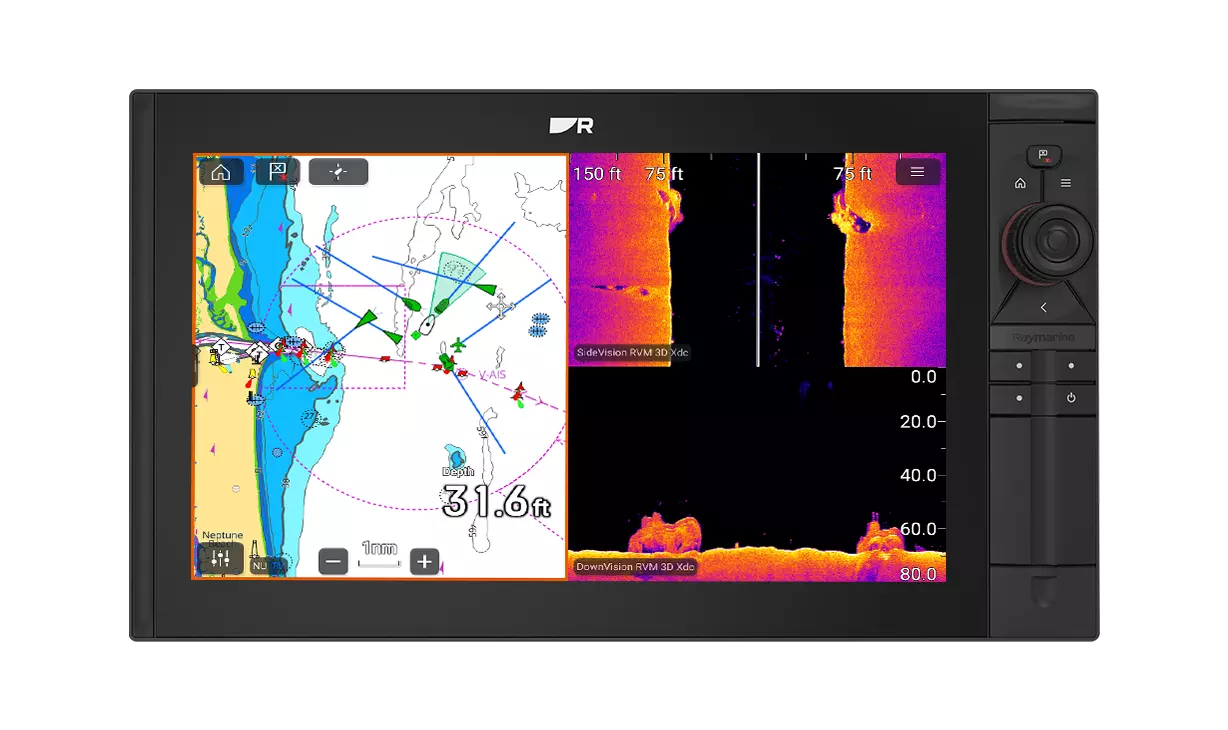
Whether you fish artificial reefs, dock lines, jetty edges, or bridge rubble, the method remains the same:
Scan wide with SideVision → tighten the range → cross from multiple headings → verify with DownVision → save edges and shadow tips as waypoints.
Trust this rhythm and you’ll read your fish finder with more confidence, identify structure faster, and get more value out of every pass.

Axiom+ RV chartplotters combine confident navigation with built‑in RealVision™ sonar for clear, reliable fish‑finding. Available in 7, 9, or 12‑inch sizes with built‑in GPS.

Engineered for serious anglers and offshore fishing, Axiom 2 RVM chartplotters combine fast, responsive performance with RealVision™ MAX sonar for precise fish‑finding and confident navigation. Available in 9, 12 or 16‑inch sunlight‑readable displays with built‑in GPS.

1kW CHIRP sonar module with RealVision 3D, DownVision, SideVision and High CHIRP sonar

CHIRP sonar module with RealVision MAX and 1kW broadband CHIRP


